Explore your
Cloudflare D1
databases
A native macOS database explorer for Cloudflare D1 and SQLite. Browse tables, run queries, and edit data — all from a fast, beautiful interface.
Everything you need to manage D1 databases
A complete toolkit for browsing, querying, and editing your Cloudflare D1 and SQLite databases.
D1 & SQLite Support
Connect to Cloudflare D1 databases via API or open local SQLite files. One tool for all your databases.
SQL Query Editor
Write and execute SQL queries with syntax highlighting. Run with Cmd+Return and see results instantly.
Inline Data Editing
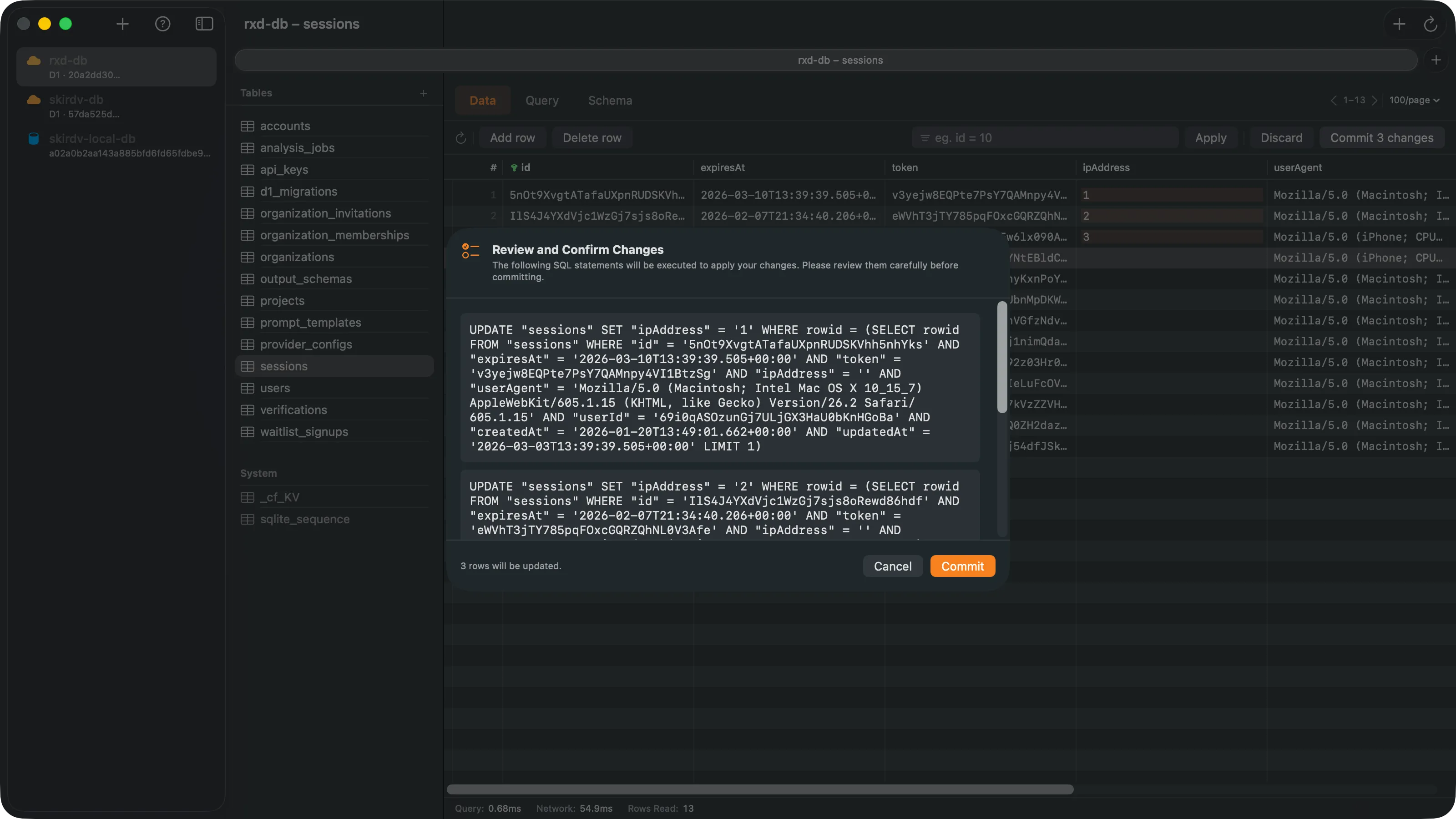
Double-click any cell to edit. Review generated SQL before committing changes to your database.
Schema Viewer
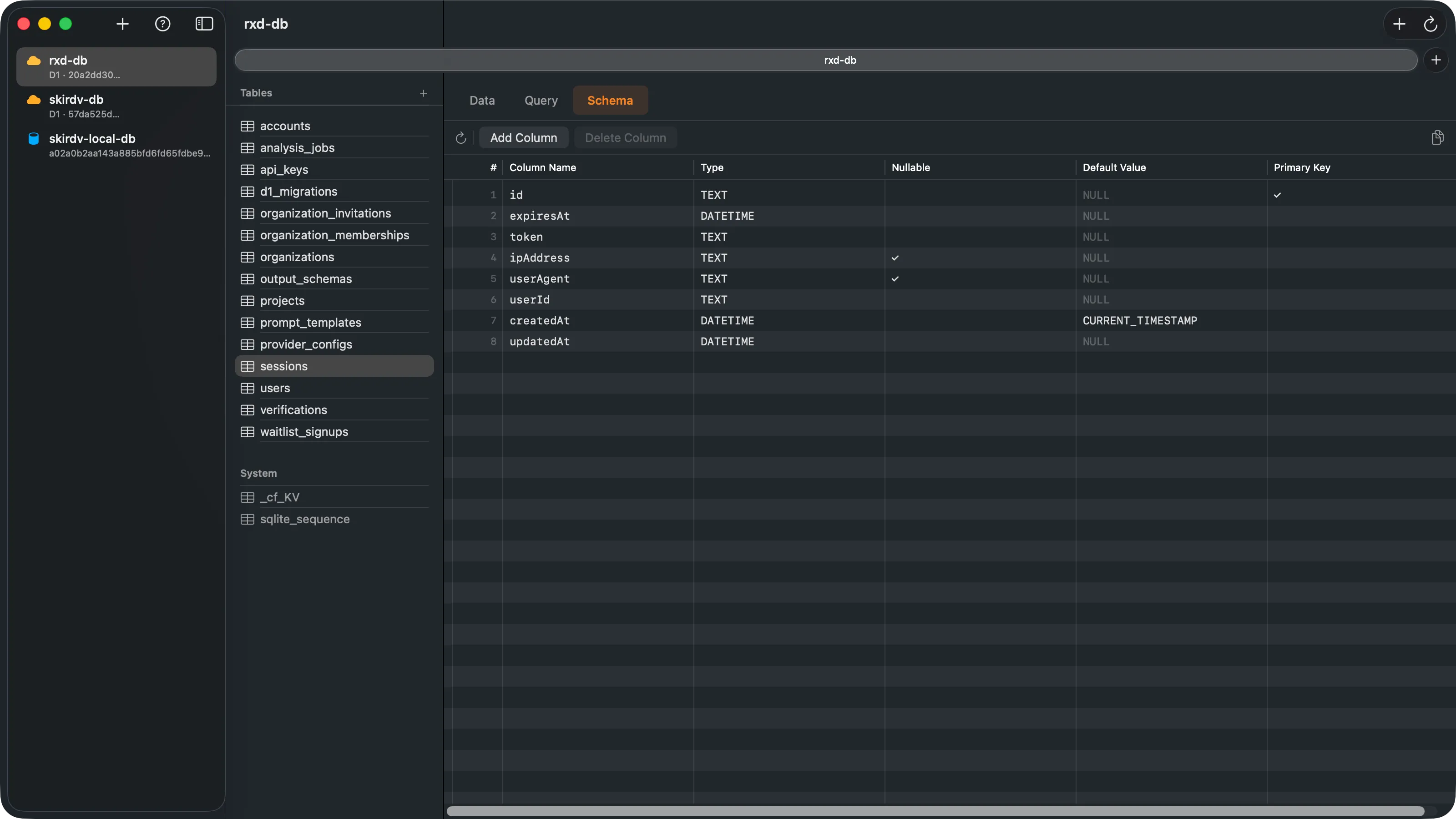
Inspect table definitions, columns, and constraints at a glance. Full CREATE TABLE statements included.
Performance Insights
Track query execution time, network overhead, and rows read. Know exactly how your queries perform.
Secure by Default
API tokens stored in macOS Keychain — never in plain text. Optional iCloud Keychain sync keeps your connections across devices. Full App Sandbox support.
See it in action
A three-column interface designed for fast database exploration.
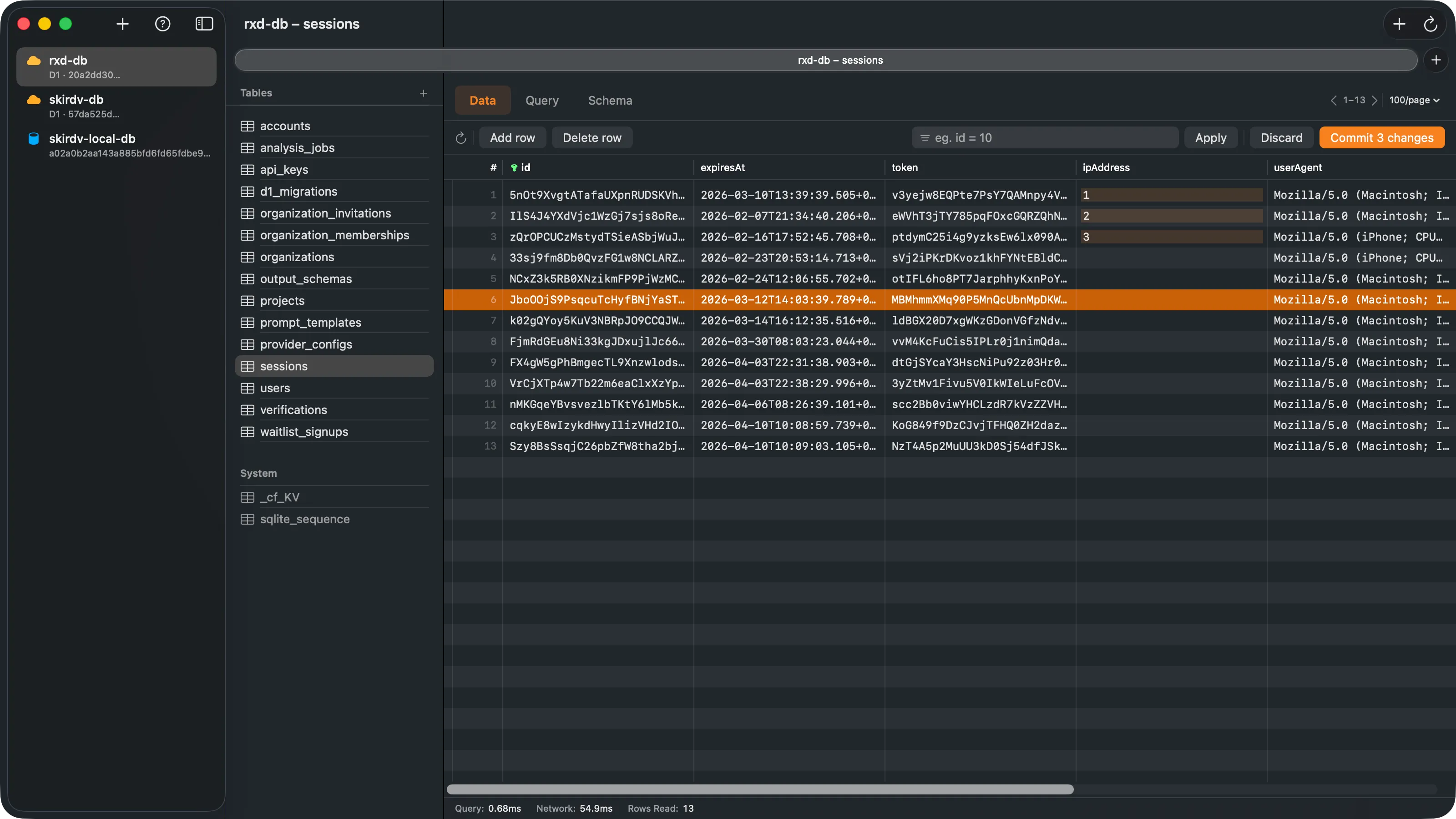
Browse and edit table data with sorting, filtering, and pagination
Write SQL queries and see results instantly
Inspect table definitions and column types
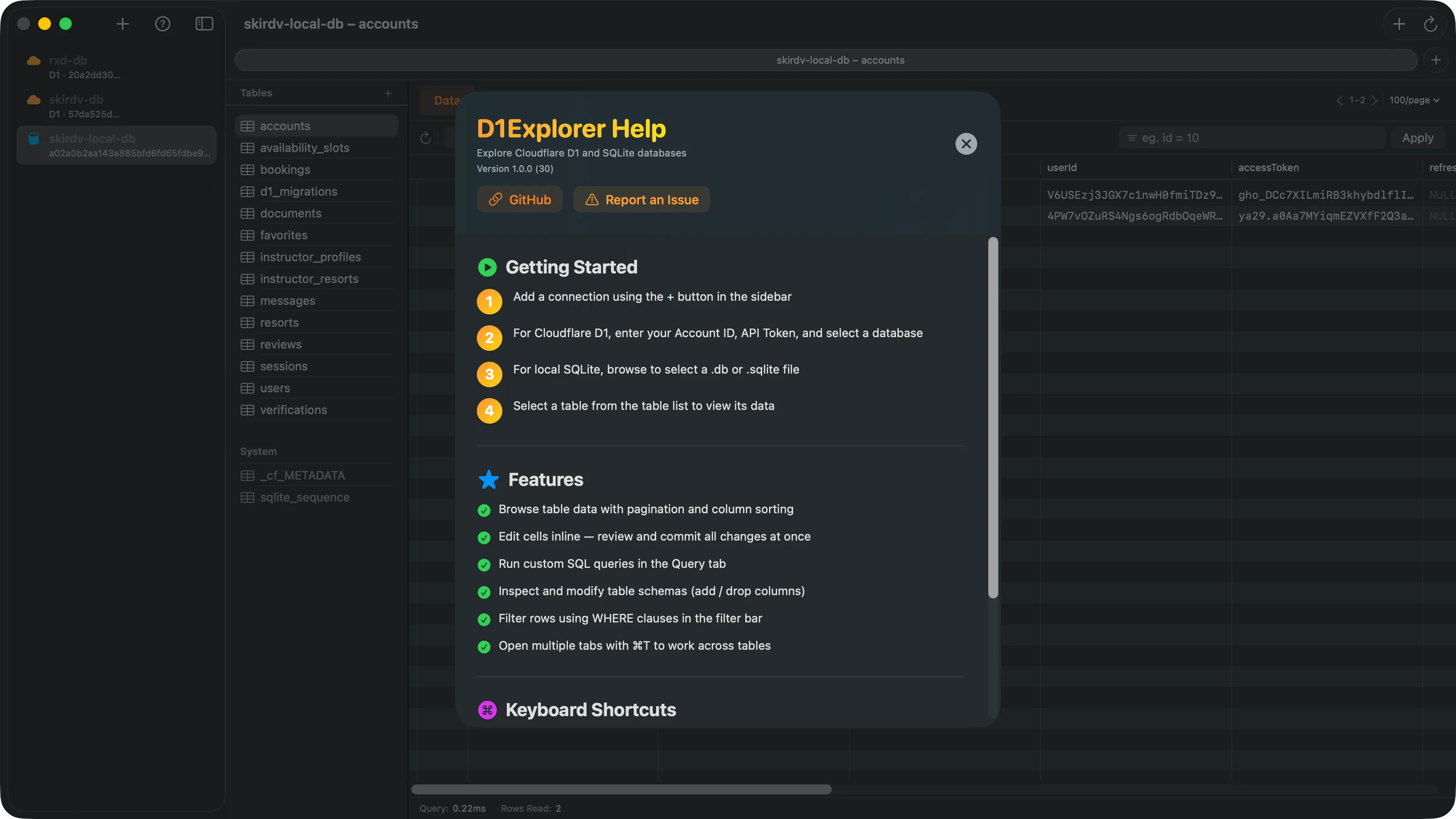
Built-in help with getting started guide, features overview, and keyboard shortcuts
Why D1Explorer?
Built for developers who care about performance, security, and great tooling.
Native Performance
Built with SwiftUI from the ground up. No Electron, no web views — just a fast, responsive macOS app that feels right at home on your Mac.
Security First
API tokens are stored in your macOS Keychain — never in plain text. iCloud Keychain sync available to keep credentials across all your Macs. Full App Sandbox compliance.
Developer Experience
Multi-tab support, keyboard shortcuts, query timing, and inline editing with SQL preview. Every detail designed for developer productivity.
Free to download. $4.99 to unlock everything.
Try D1Explorer with your own databases, read-only — no account, no trial timer. Unlock Pro when you're ready to edit and manage.
Free
$0Connect and read, with no time limit. Everything you need to validate D1Explorer against your own databases before paying.
- Browse databases, tables, indexes, and triggers
- Run SELECT queries with syntax highlighting
- Inspect schema with full CREATE TABLE statements
- Preview BLOB, JSON, and long text cells
- Import Wrangler projects with one click
- Connect unlimited local SQLite and Cloudflare D1 accounts
D1Explorer Pro
$4.99 one-timeEverything in Free, plus every write-path feature. Pay once — no subscription, unlocks permanently across every Mac signed into your Apple ID.
- Insert, update, and delete rows
- Inline cell editing with generated SQL preview
- Create, rename, and drop tables
- Add, remove, and alter columns
- Execute DML and DDL statements in the query editor
- Export and back up databases to SQLite files
Already bought D1Explorer before the free tier launched? Your Pro unlock carries over automatically — no second payment, no restore required.
Ready to explore your
D1 databases?
Download D1Explorer and start browsing your Cloudflare D1 and SQLite databases in seconds.
Available on the Mac App Store · Free to download · Pro unlock $4.99
Requires macOS 14.0 or later